Computa
The King of Bike Computers for Apple Watch
Every gripe I had with the other apps, fixed.
Download on the
App Store
The King of Bike Computers for Apple Watch
Every gripe I had with the other apps, fixed.
There are plenty of bike navigation apps for the Apple Watch, so why make Computa?
Every other app puts navigation on the phone and just uses the watch as a sensor.
That's splitting the work and wasting battery.
Computa uses the big phone screen to load and review routes, set your alert preferences,
and share your rides with Strava, RWGPS, or just export the GPX file.
The watch owns your ride. Saving it directly to the Health app,
delivering turn-by-turn voice alerts to your headphones,
and letting you pause and resume a recording to be continued later.
No ads or subscriptions. No "pro" tier. Just ride.
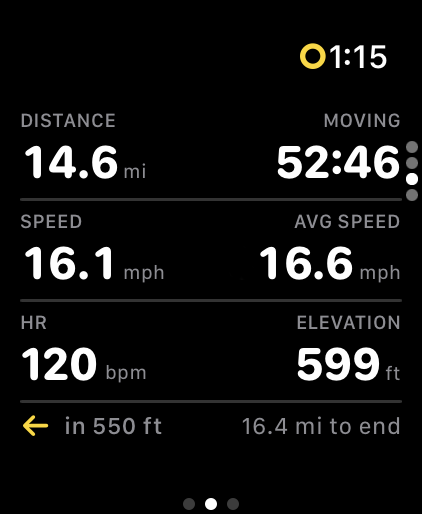
Speed, distance, elevation, power estimation, heart rate and more! Every screen is customizable. I mean, everything.
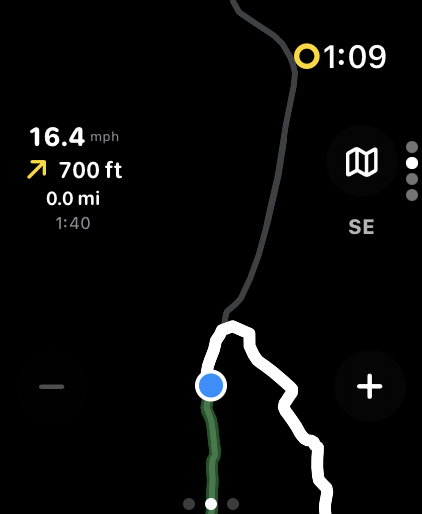
Import GPX routes and get audio turn alerts, on-screen directions, and off-route warnings. Voice navigation that ducks your music.
Tweak any imported route's cue sheet before you ride. Add missing turns, fix wrong directions, or skip cues you don't want announced. Or use our tool to create one from scratch.
Import routes from Ride With GPS and Strava. Auto-upload rides to Strava. Syncs with Apple Health.
Designed to last all day. Computa can easily run for 12+ hours of riding on the latest Apple Watch models.
Create ride and settings profiles for your different bikes and types of rides. Customize presets for screens, alerts, and metrics for your MTB, Track, or Gravel bike.
From a GPX file, Ride With GPS, or Strava
Use the cue editor to add, fix, or skip turns before you head out
One tap to transfer the route to your Apple Watch
Full metrics, navigation, and recording on your wrist
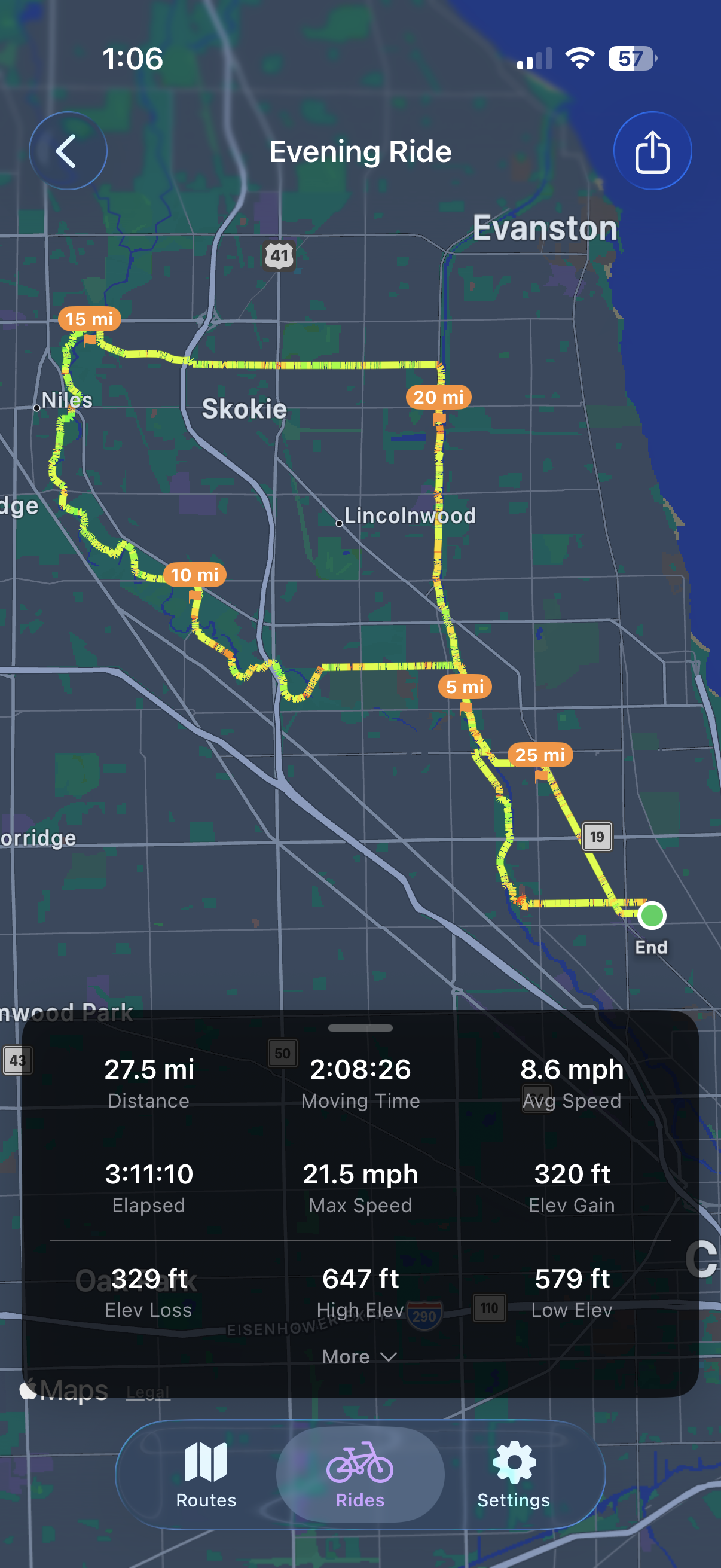
Speed-colored maps, stats, and auto-upload to Strava